


Giggles: Videos & Trends
2,98.00 Beoordelingen
App-specificaties
- Versie
- 3.1.2
- Bijgewerkt op
- Licentie
- Free
- Downloads
- 100.000+
- Ontwikkelaar
- Giggles Platforms, Inc.
- Categorieën
- Sociaal
- Platform
- Android
Screenshots
 Analyse door AppCompare
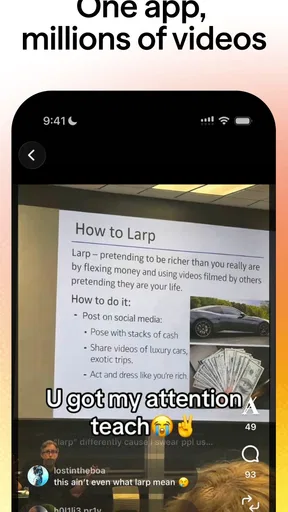
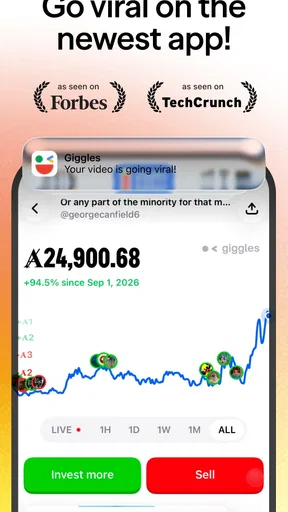
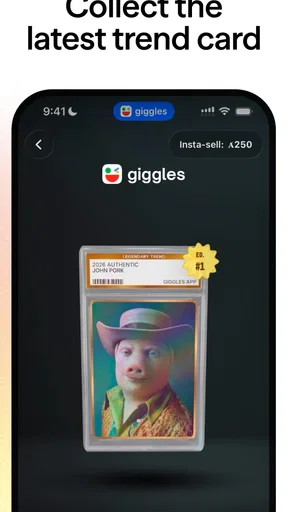
Giggles: Videos & Trends is a social app built around collecting internet culture. I’d approach it less as a complete social network and more as a place to gather the clips, jokes, and trends I want to keep within reach. That focus gives it a clear appeal: when something makes me laugh or captures a moment online, I can treat it as something worth collecting rather than letting it disappear in a passing scroll.
That idea is appealing, but it also sets a high bar. A collection is only useful when it is easy to build, revisit, and share in a way that suits you. My overall impression is that Giggles works best for people who enjoy internet culture as something to curate, while anyone looking for a polished, all-purpose social hub may find the experience too narrow. Its modest average rating suggests it has not won over every user, so I would try it with realistic expectations rather than assuming the concept alone guarantees a smooth fit.
Een verzameling voor wat online blijft hangen
Ik kijk bij Giggles vooral naar de vraag of het verzamelen van online vondsten een gewoonte wordt die echt iets oplevert, in plaats van een extra plek om gedachteloos te scrollen. In deze sectie weeg ik daarom eerst de gratis toegang en de betaalde aankopen af; daarna gaat het om wat die verzamelgerichte aanpak in het dagelijks gebruik waard kan zijn.
Wat je gratis krijgt en waar betalen begint
Giggles is free to install, which makes it easy to test whether this collecting-first approach suits you before spending anything. There are in-app purchases billed through Google Play, priced from €0,29 to €84,99. That is a wide range, so I would check the purchase details in the app carefully and decide what, if anything, feels worthwhile to you. The existence of purchases does not by itself tell me what each option unlocks or whether it is necessary for everyday use.
For that reason, I would begin with the free experience and avoid treating a purchase as a shortcut to a better collection. First see whether you naturally return to the app, whether saving internet culture fits your habits, and whether the app gives you a useful reason to keep it installed. Free access makes experimentation low-risk; paid value depends on the specific purchase and your own use. I would not spend simply because an in-app option is presented.
This distinction matters because the idea is personal. Someone who saves funny clips and trends regularly may get more out of a dedicated collecting habit than someone who only watches whatever appears in a general feed. If you rarely want to revisit things you have seen online, even a free app can cost you attention and storage without becoming part of your routine.
Waar de app waarde kan toevoegen
Giggles is from Giggles Platforms, Inc. and sits in the social-app category, but its stated focus gives it a different feel from a conventional network built primarily around following people or posting updates. The useful question is not whether you need another place to scroll. It is whether you often come across internet culture you want to keep together, rather than relying on memory or trying to find it again later.
Lezenswaardig voordat je kiest

App van de week: Google Agenda brengt rust in je weekplanning
Chrome op Android en iPhone: meer samenhang, minder controle
One practical use is collecting material around a shared interest. A group of friends might pass around absurd clips, recurring memes, or trends they want to revisit, while a person who follows online humor might prefer a personal stash of things that made them laugh. A simple workflow is to decide on a theme before collecting—such as a running joke or a topic you want to return to—so the saved material has a purpose instead of becoming an unmanageable pile.
That small habit is more useful than saving everything. When a trend has a short life, collecting only the items you might actually show someone later keeps the activity lightweight. I would also use the app as a source of conversation material rather than as a replacement for direct communication: a saved clip can be a useful prompt when chatting with friends, but it does not automatically create a closer social connection.
For a creator or community-minded user, a collection can also serve as a loose reference shelf. You might keep examples of the humor or formats you enjoy, then revisit them when looking for inspiration. I would be careful not to mistake collecting for research, though: a personal set of clips can show what caught your attention, but it does not establish what is broadly popular or why a trend works.
De afweging tegenover gewone sociale apps
Compared with a typical short-video feed, Giggles’ collecting angle sounds better suited to deliberate saving than endless watching. A broad social platform is often the easier choice when you want creators you already follow, a familiar stream of posts, or one app for many kinds of interaction. Giggles is more compelling if the act of gathering internet culture is itself the point.
The trade-off is that a specialist app has to earn its place on your phone. If you already save clips in a general social app, a browser, or a messaging thread, adding another collection destination can split your habits. Before committing, I would ask myself where I currently lose track of things I wanted to revisit. If the answer is “nowhere,” Giggles may not solve a real problem. If the answer is “I keep seeing things, then cannot find them again,” its central idea may be more relevant.
There is also a difference between a collection and a discovery engine. The app’s focus on internet culture may attract people who want to gather trends, but I would not assume that this makes it the best place to discover every kind of content. If your main goal is broad recommendations, a large general-purpose platform may be a better fit. If your goal is to make a personal record of what you enjoy, a narrower tool can feel more intentional.
A non-obvious tip is to set a stopping point for collecting. For example, when you save something, take a moment to decide whether it belongs in a theme you will revisit or whether it was only funny in the moment. This prevents a collection from turning into another feed you never look at. Another useful approach is to use Giggles for items you would genuinely send to someone later, and leave casual viewing to the apps you already use.
De ervaring vraagt om realistische verwachtingen
The public reception is mixed: Giggles has an average rating of 2,9 from around 1,3 thousand ratings, with eight written reviews, and it has passed 100 thousand installs. Those figures do not tell me exactly what any one person will experience, but they do make me cautious about recommending it as a universally smooth social app. I would use the free version as a trial and judge it by whether it makes collecting easier, not by the novelty of the premise.
Giggles is currently at version 3.1.2 and requires Android 7.0 or later. That makes the Android requirement fairly accessible to people with older compatible devices, though compatibility alone does not promise that every device will feel equally responsive. The app is listed with parental supervision as its age/content designation. If a child will use it, I would treat that as a reason for an adult to stay involved and review the app together, rather than assuming the label removes the need for guidance around social content.
One limitation of the concept is that collecting can become passive. It is easy to save more than you will ever revisit, especially when online trends move quickly. I would keep the collection small enough to browse and periodically remove items that no longer mean anything to me. This is not a special feature claim; it is a practical way to get value from any app whose appeal depends on keeping things for later.
Another trade-off is fragmentation. If your friends mostly share content elsewhere, a separate app may not make the social part easier. Giggles may still work for your own archive, but it is not automatically the right place for a group’s everyday conversations. Before encouraging friends to join, I would first see whether the app is useful to me alone. That avoids turning a personal experiment into another platform everyone is expected to maintain.
Voor wie het past, en voor wie niet
I can see Giggles being useful for someone who regularly spots memes, clips, and trends they want to return to, especially if their current method is an assortment of saved posts and messages. It may also suit people who enjoy organizing their online interests and want a more intentional destination for internet culture than a general feed. The strongest case is not “I want more content,” but “I want to keep track of the online things I already enjoy.”
I would skip it if you are looking for a broad network for messaging, creator updates, or every kind of social interaction. I would also be hesitant if you already have a reliable way to save and find videos, or if another app’s feed is where your friends actually share things. In those situations, Giggles risks adding an extra step rather than removing one. And if you prefer to watch without sorting or revisiting content, its collecting premise may feel like work.
For a realistic everyday test, imagine seeing a funny trend during a short break and wanting to show it to a friend that evening. If you would normally forget where you saw it, try using Giggles as the place you collect only the items you intend to revisit. After a few days, ask whether that habit saved effort or merely gave you one more inbox to check. That is a better measure of fit than installing it and browsing casually for a few minutes.
Mijn oordeel na het afwegen
I would recommend Giggles to curious users who like internet culture and want to collect it with a little more intention. Its free access is a sensible way to find out whether that habit sticks, while the in-app purchases call for a deliberate decision rather than an impulse. The app’s concept has a clear audience, but its mixed rating and the possibility of duplicated effort mean I would not present it as an obvious download for everyone.
My advice is to try it without paying, keep the first collection focused, and see whether you actually return to what you save. If it becomes a useful personal shelf for clips and trends, it has earned a place in your routine. If you still rely on your usual social apps—or find that saving content creates more clutter than value—there is little reason to force the change. For me, Giggles is worth a cautious try for collectors of online humor, but it is an easy skip for people who simply want another general social feed.
Voordelen
- Korte video’s maken en bekijken is laagdrempelig.
- Trends bieden inspiratie voor nieuwe video-ideeën.
- Je kunt video’s ontdekken die bij je interesses passen.
- De app is geschikt voor snelle
- korte kijkmomenten.
- Een alternatief voor wie graag sociale videocontent verkent.
Nadelen
- De feed kan veel tijd opslokken door eindeloos scrollen.
- Aanbevelingen sluiten niet altijd aan op je interesses.
- Populaire trends kunnen snel repetitief aanvoelen.
- De kwaliteit en geschiktheid van video’s kunnen verschillen.
- Voor functies of video’s kan een internetverbinding nodig zijn.
Veelgestelde vragen over Giggles: Videos & Trends
Wat is Giggles: Videos & Trends?
Giggles: Videos & Trends is een app die draait om korte video’s en populaire trends. Je kunt er vermakelijke clips bekijken en ontdekken welke onderwerpen of formats op dat moment aandacht krijgen. De beschikbare video’s en functies kunnen veranderen na updates en per regio verschillen. Controleer daarom de beschrijving in de officiële appwinkel om te zien welke mogelijkheden momenteel worden aangeboden.
Is Giggles: Videos & Trends gratis te gebruiken?
De app kan gratis te downloaden zijn, maar dat betekent niet automatisch dat alle functies kosteloos zijn. Mogelijk bevat Giggles advertenties, optionele aankopen of andere betaalde onderdelen; de precieze voorwaarden kunnen wijzigen. Bekijk vóór het downloaden de prijsinformatie en vermeldingen over aankopen in de appwinkel. Controleer ook eventuele abonnementsvoorwaarden zorgvuldig, zodat je weet of er terugkerende kosten kunnen ontstaan.
Moet ik een account aanmaken om video’s te bekijken?
Of je zonder account video’s kunt bekijken, hangt af van de huidige versie van de app en de functies die je wilt gebruiken. Voor bepaalde mogelijkheden, zoals het bewaren van voorkeuren of deelnemen aan sociale functies, kan registratie vereist zijn. Lees de informatie op het inlogscherm en in de appwinkel voordat je gegevens invult. Gebruik bij registratie alleen informatie die je comfortabel vindt om te delen.
Welke gegevens en machtigingen kan de app nodig hebben?
De benodigde gegevens en machtigingen zijn afhankelijk van hoe je Giggles gebruikt en van de functies in de geïnstalleerde versie. Een app kan bijvoorbeeld internettoegang nodig hebben om video’s te laden; toegang tot camera of microfoon is vooral relevant als je zelf content maakt. Controleer het privacybeleid en de machtigingen op je toestel, en geef alleen toegang wanneer dat nodig is voor een functie die je wilt gebruiken.
Is Giggles: Videos & Trends geschikt voor kinderen?
Dat hangt af van de video’s die beschikbaar zijn, de leeftijdsclassificatie in de appwinkel en de manier waarop content wordt geselecteerd of gecontroleerd. Korte-video-apps kunnen materiaal bevatten dat niet voor iedere leeftijd geschikt is, en sociale functies kunnen extra aandacht vragen. Bekijk daarom de leeftijdsclassificatie en het privacybeleid voordat een kind de app gebruikt. Ouders kunnen ook de schermtijd en toestelinstellingen voor ouderlijk toezicht controleren.


